


Das ist DevOps!
DevOps ist eine modellbasierte Plattform, die Apps, Daten und Geräte mit hoher Geschwindigkeit verbindet – von Erfassung und Logging über Analyse bis zur Bereitstellung. Sie vereint Digital Twin, Simulation Twin und Testing, sodass Entwicklung, Validierung und Iteration als durchgängiger Workflow ablaufen. Mit Cam Journal als erster App können Motorsport- und Sportbegeisterte ihre Erlebnisse und Fahrten wie in einem Tagebuch protokollieren und analysieren – einschließlich Pace- und Performance-Auswertungen. Damit ist Cam Journal der ideale Einstieg, um DevOps schnell kennenzulernen.
Cam Journal

Als Journal ist die App bewusst wie ein Session-Tagebuch für MP4-Dateien aufgebaut. Motocross-, Kart- oder Nordschleifen-Trainings können als Einträge gespeichert werden. Runden werden automatisch erkannt, Rundenzeiten gemessen, einzelne Runden gezielt angesprungen und wiedergegeben sowie die eigene Performance über die Zeit verfolgt und analysiert. Die aktuelle Alpha wurde mit GoPro HERO11 Black MP4-Aufnahmen getestet und erreicht mit dem 10-Hz-GPS der GoPro eine Rundenzeitgenauigkeit von etwa 0,1 s.
Als Nächstes wird Cam Journal von der Alpha zu einer stabilen Beta weiterentwickelt. Im Fokus stehen Zuverlässigkeit, Performance und ein konsistenter Session-Workflow; zusätzlich werden Sektoren innerhalb der Runden für präzisere Vergleiche ergänzt. Das Ziel geht über Sport-Tracking hinaus: Cam Journal unterstützt wissenschaftliches Arbeiten und Validierung, datengetriebene Tests und wiederholbare Iterationen, und wird so zu einem robusten Einstieg in DevOps.
Cam Journal ist der Einstieg: Mit Push to DataLab werden Session-Daten exportiert und direkt in DataLab übertragen. So wird eine Fahrt, ein Kart-Stint oder eine Nordschleifenrunde unmittelbar zu einem strukturierten Datensatz für Analyse und Iteration.


DataLab

DataLab ist das Datenrückgrat von DevOps. Es verbindet Logs und Live-Streams zu einem konsistenten Signalgraphen, gespeist aus Ethernet, Bluetooth, UART, CAN, Dateien und weiteren Quellen. Import, Zeitsynchronisation, Mapping, Routing und Persistenz werden zentral verarbeitet, sodass Projekte Panels, Zustände und Analysen zuverlässig aus den zugrunde liegenden Daten rekonstruieren können: reproduzierbar, nachvollziehbar und skalierbar.
DataLab entfaltet seine Stärke durch Editoren und spezialisierte Apps:
Im Code Editor liegen Schnittstellen und Logik. Ein IO Analyzer erkennt Ein- und Ausgänge in Code und Modellen. DataLab kann MATLAB, C++, Rust, Python und weitere benötigte Sprachen interpretieren oder anbinden, um Integrationen schnell umzusetzen.
Der Table Editor überführt rohe Logs in nutzbare Strukturen: Bereinigen, Filtern, Tagging sowie die Verwaltung von Datensätzen und Maps wie Signalen, Kanälen, Lookup-Tabellen und Kennlinien.
Zusätzliche Apps erweitern das System. Open-Source-Werkzeuge wie Parser, Simulatoren oder Plot-Engines sowie eigene Custom Apps können neue Protokolle, Gerätetreiber, Modelllöser oder domänenspezifische Workflows ergänzen.
Das Ergebnis ist ein zentraler Ort, an dem Daten, Werkzeuge und Logik mit hoher Geschwindigkeit zusammenlaufen, von der Erfassung über Validierung und Digital Twin bis zum automatisierten Reporting.
DataAnalyzer
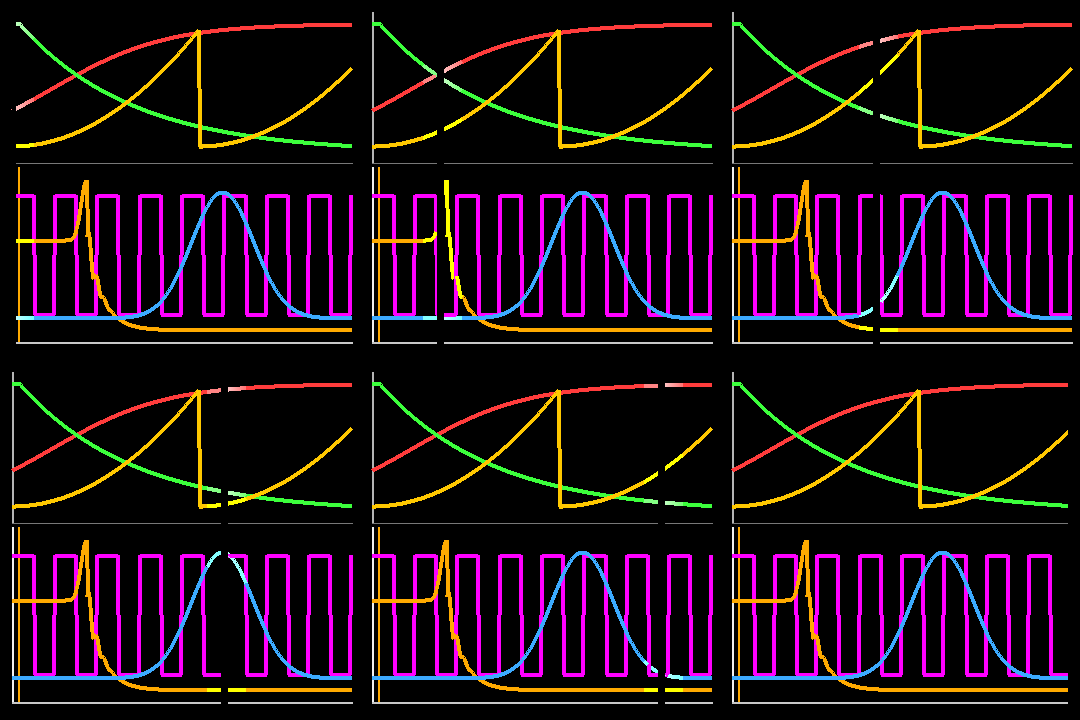
Der Data Analyzer ist die DevOps-Zentrale für Erkenntnisse und Visualisierung und baut direkt auf dem Datengraphen auf, den DataLab aus Logs und Live-Streams erzeugt. Er macht aus Rohmessungen schnell verwertbare Ergebnisse: Signale werden geladen, decodiert, gemappt und auf einer gemeinsamen Zeitachse synchronisiert, über CAN/CAN-FD, UART, Ethernet-Streams, Dateien und Sensorlogs hinweg.
Im Analyzer entstehen interaktive Dashboards mit Plots, Markern, Statistiken, Ereigniserkennung und Run-to-Run-Vergleichen, vollständig an das Projekt gebunden. Ergebnisse bleiben nachvollziehbar, weil Quellen, Mappings und Panel-Zustände mit dem Projekt gespeichert und exakt rekonstruiert werden können.
Statt eine CSV zu öffnen und auf das Beste zu hoffen, bietet der Data Analyzer einen robusten Workflow: Daten validieren, filtern und taggen, für höhere Geschwindigkeit downsamplen, Versionen vergleichen und Ergebnisse exportieren, bis hin zum automatisierten Reporting. So wird DevOps zu einer Hochdurchsatz-Analyseplattform für Entwicklung, Testing und Motorsport.


phyphox® Interface

phyphox® Interface ist die drahtlose Brücke von DevOps zur mobilen phyphox® App. Telemetrie und Ereignisse werden in Echtzeit mit geringer Latenz über WLAN zum Computer gestreamt. Eine saubere Zeitbasis und optionales Puffern bei kurzen Aussetzern sorgen für Stabilität. Im Data Analyzer erscheinen Signale sofort als Plots, Marker und Live-Statistiken; parallel kann der Stream geloggt, versioniert und in Projekte importiert werden, sodass Sessions später vollständig reproduzierbar geladen, verglichen und weiterverarbeitet werden können.
phyphox® Interface wird durch die DataLab-Integration besonders leistungsfähig:
Als Live-Connector speist es den Signalgraphen mit Mapping, Einheiten, Kanalbenennung und Filtern und lässt sich mit anderen Quellen kombinieren, etwa CAN, UART, Ethernet-Geräten, Bluetooth-Sensoren, Dateien oder Simulationen.
Ein Projekt-Recorder speichert Streams konsistent inklusive Zeitsynchronisation, Metadaten, Gerät, Firmware und Testaufbau, sodass Panels und Analysen automatisch wiederhergestellt werden können.
Offene Hooks ermöglichen Erweiterungen wie automatische Session-Aufteilung, Trigger, Export nach CSV/MF4 oder eigene Workflow-Aktionen.
Kurz gesagt: phyphox® Interface macht einen Smartphone-Stream zu einer vollwertigen, skalierbaren DevOps-Datenquelle.
phyphox® @ App Store / Google Play

DataAnalyzer 26
10
jeden Monat
DevOps App
Gültig für 12 Monate
+ 7 Tage kostenlose Testphase

CAN Terminal 26
0
Gültig bis zur Kündigung

Bluetooth Terminal 26
0
Gültig für einen Monat

Serial Terminal 26
0
Gültig für einen Monat

Table 26
0
Gültig bis zur Kündigung
DevOps Apps
Choose the ones that are right for you